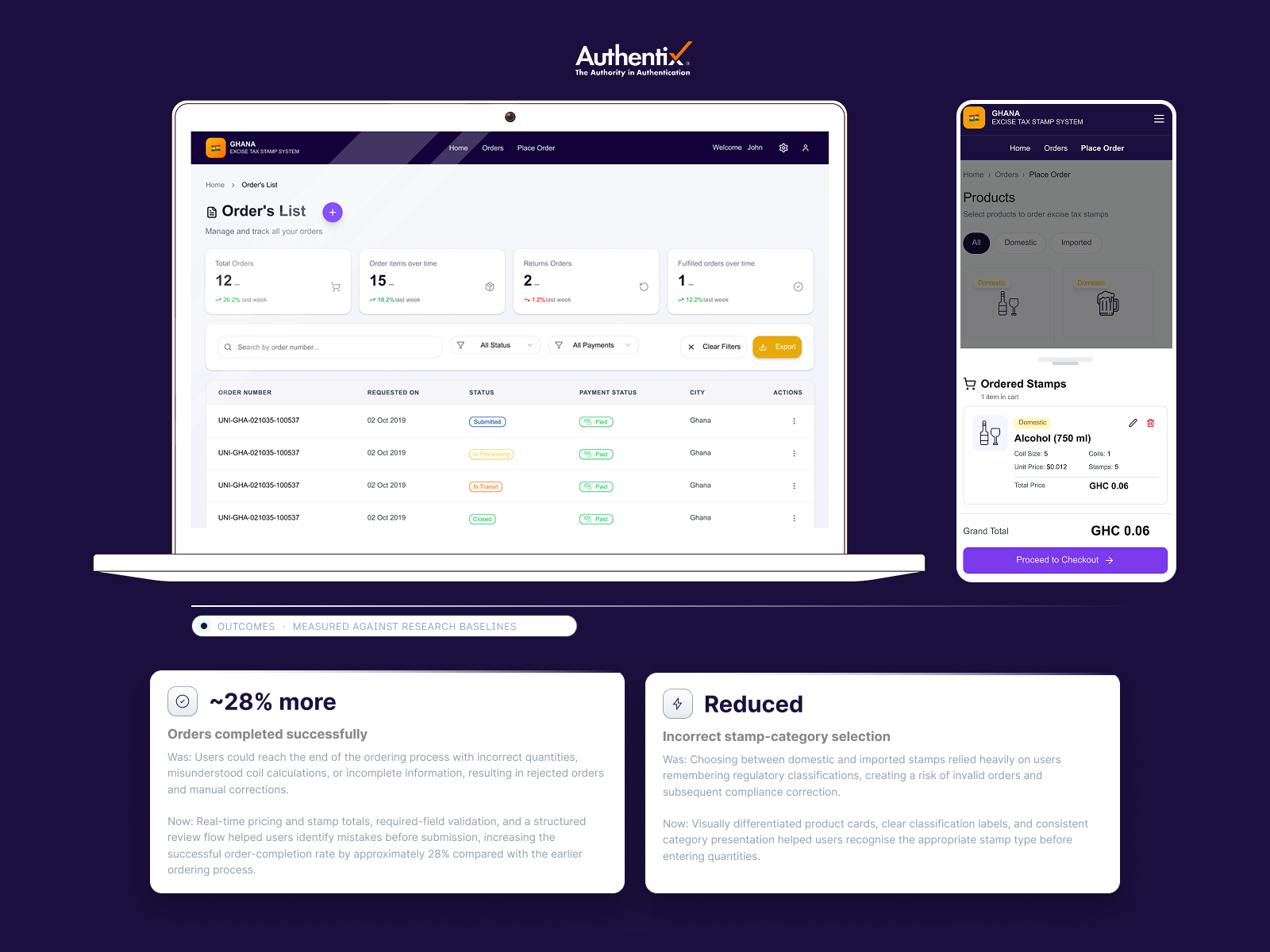
Techlogix built a national excise tax stamp platform for Ghana’s revenue authority, used by licensed manufacturers and distributors in alcohol, tobacco, beverages, and textiles


MY ROLE
As the sole UX designer and application consultant, I led research, wireframing, prototyping, and front-end collaboration.
my process
My process involved mapping how professional users work under regulatory pressure through interviews and workflow analysis. The design rationale centered on simplifying multi-step compliance flows with inline validation, guided pricing logic, and contextual help, designing for how users actually order, not how the regulation is written.
design rationale
The design rationale centered on simplifying multi-step compliance flows with inline validation, guided pricing logic, and contextual help, designing for how users actually order, not how the regulation is written.
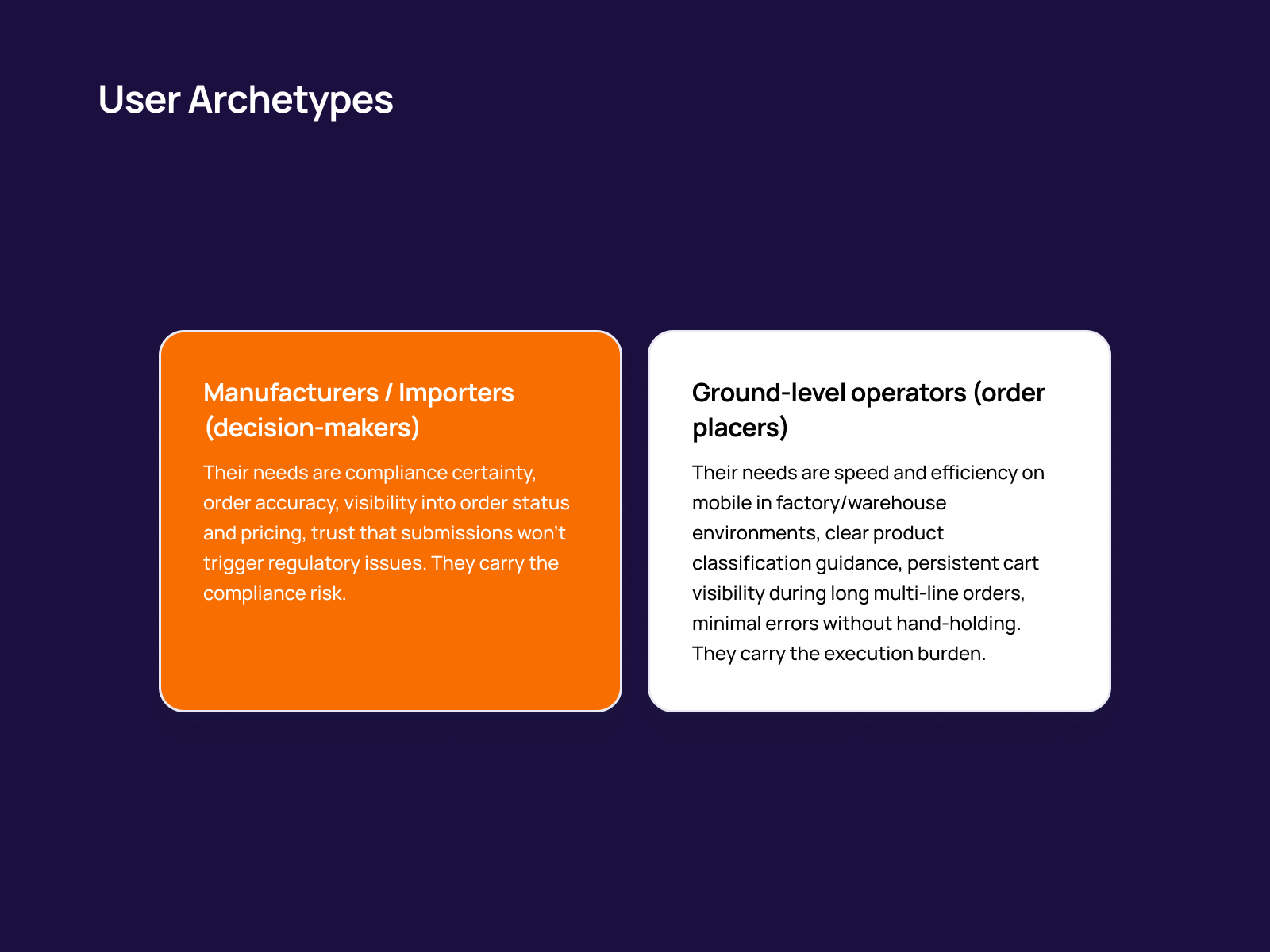
Two primary user archetypes were identified through research. Manufacturers and importers are the decision-makers whose core needs are compliance certainty, order accuracy, visibility into status and pricing, and trust that submissions won't trigger regulatory issues. Ground-level operators are the order placers who need speed and efficiency on mobile in factory and warehouse environments, clear product classification, persistent cart visibility, and minimal errors without hand-holding. These distinct needs shaped every design decision in the platform.
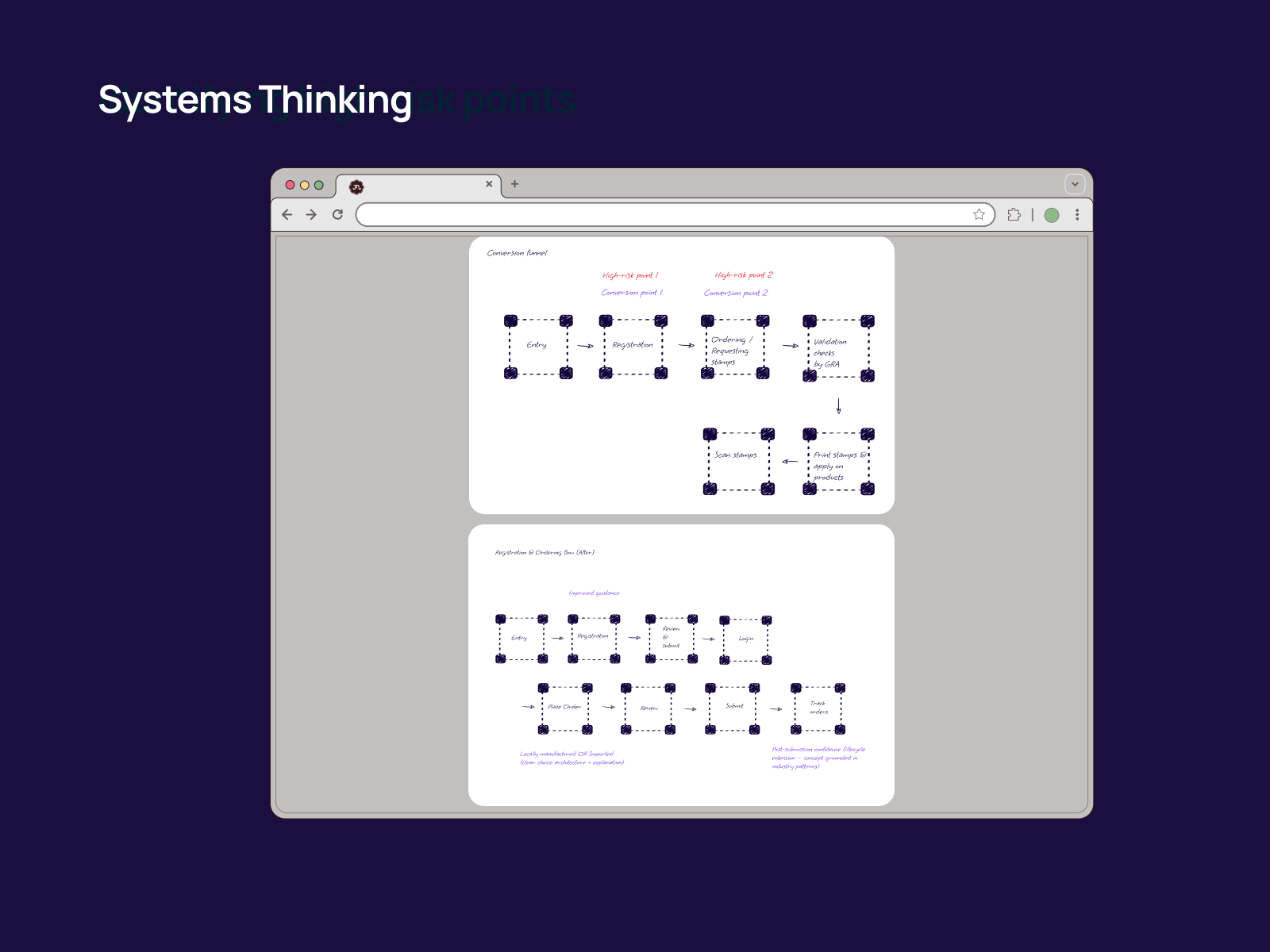
A before-and-after view of the end-to-end conversion funnel. The top diagram maps the original flow from Entry, Registration, Ordering, Validation, Scan, and Print, highlighting the two high-risk conversion points where failures clustered. The bottom diagram shows the redesigned flow with improved guidance, clearer transitions between registration and ordering, and post-submission confidence patterns grounded in industry best practices.
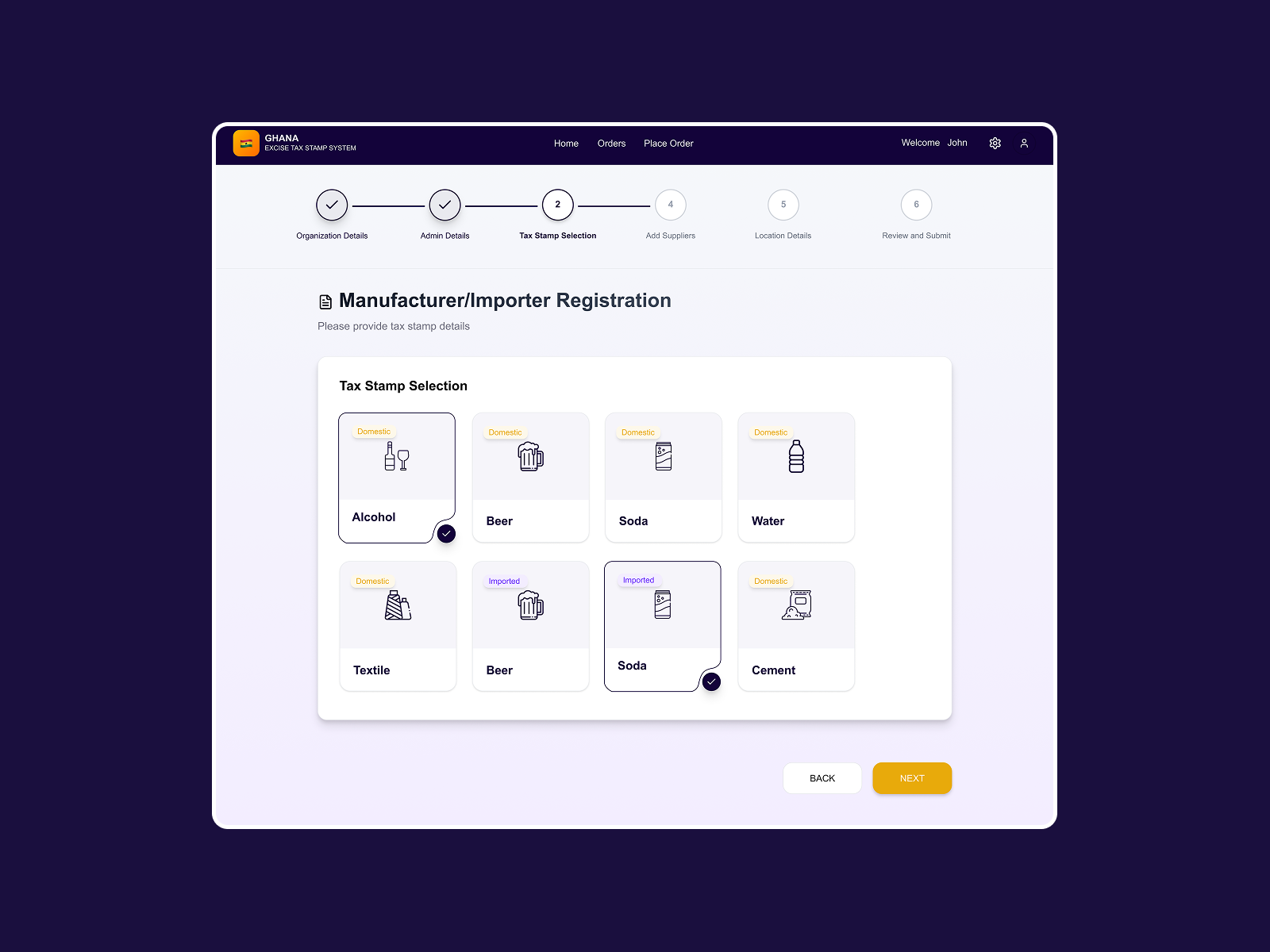
Step 2 of the 6-step registration wizard for manufacturers and importers. A clear stepper shows progress (Organization Details, Admin Details, Tax Stamp Selection, Add Suppliers, Location Details, and Review and Submit). Product categories use visual cards with Domestic/Imported tags, the same classification pattern used in the ordering flow, creating consistency and reducing misclassification errors, a key failure point.
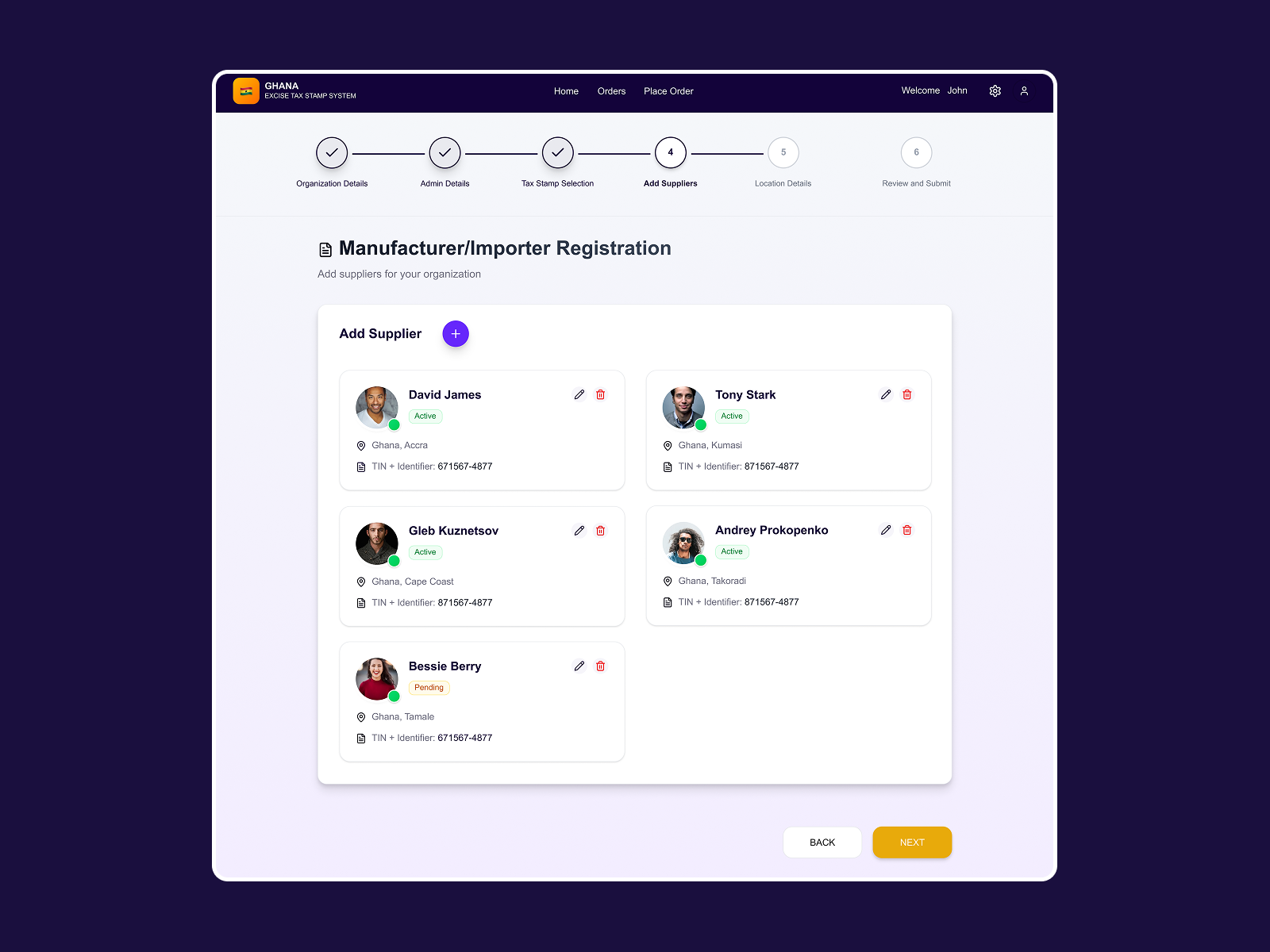
Step 4 of registration, where manufacturers add their suppliers with location, status, and TIN identifiers. The card-based layout makes it easy to scan, edit, or remove suppliers. Pending vs Active status indicators help admins manage onboarding state. This structured approach replaced an error-prone process in which supplier details were submitted in unstructured formats, resulting in validation delays.
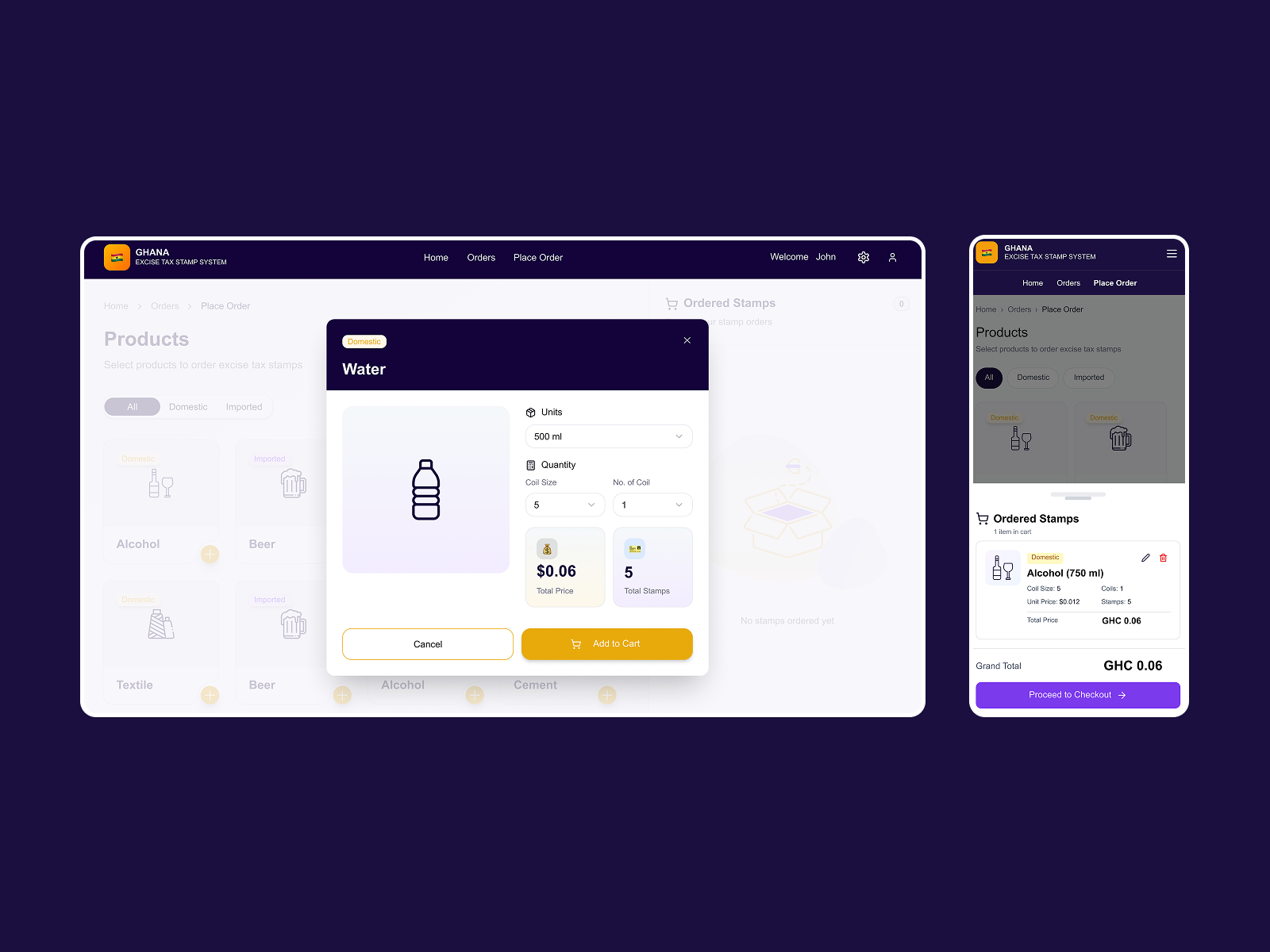
The core ordering experience across web and mobile. Users select product categories (Domestic/Imported), configure units, coil size, and quantity in a focused modal, with real-time total price and stamp count calculated inline. The mobile view shows a persistent cart sidebar—one of the three failure points identified in discovery, where users previously lost track of items during long multi-line orders.
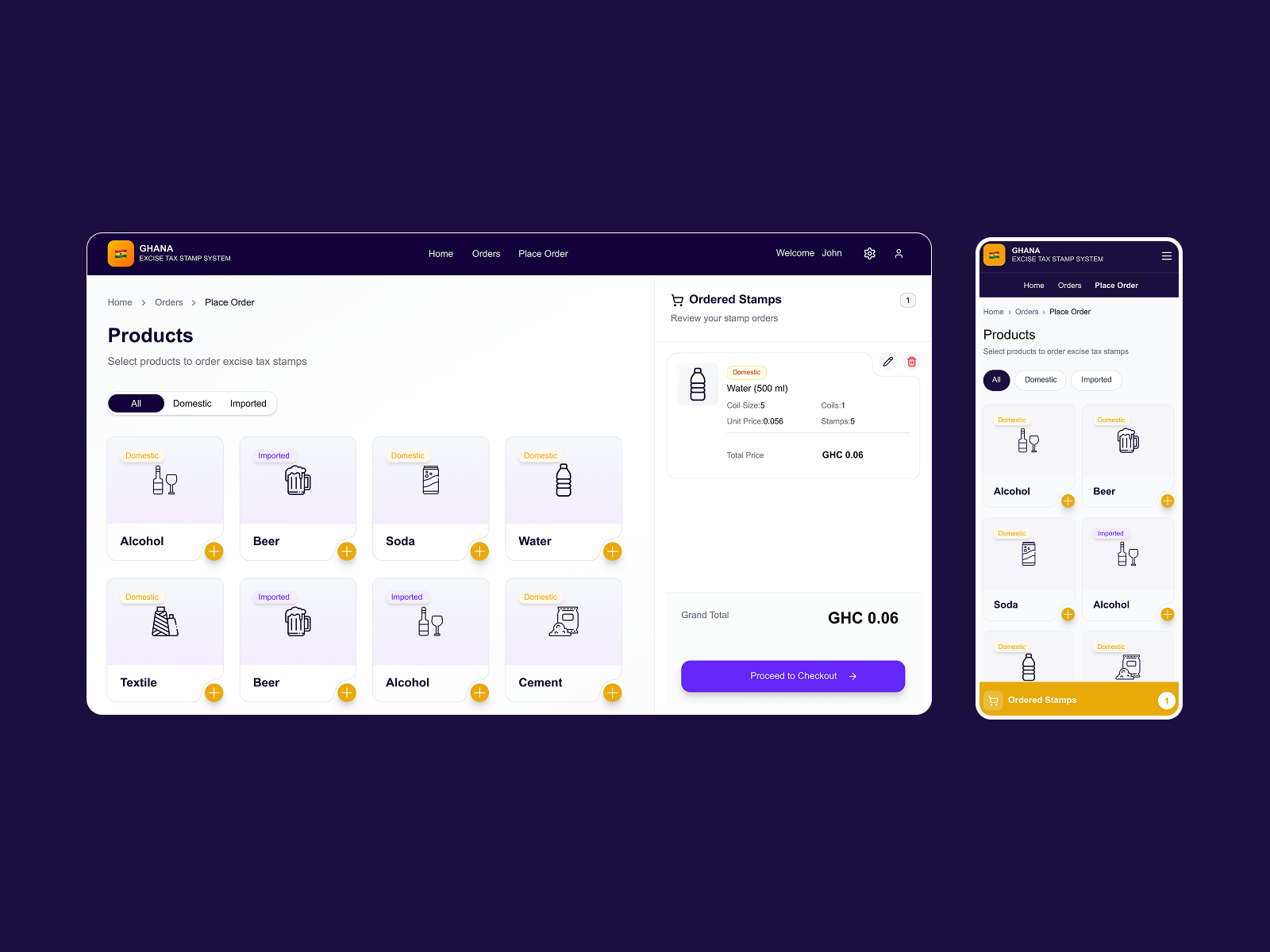
The product grid with Domestic/Imported classification tags and a persistent cart panel showing ordered stamps with full pricing breakdown. It was designed so ground-level operators placing orders on factory floors could always see what they'd added, review unit pricing, and proceed to checkout without losing context, directly addressing the cart visibility failure cluster.
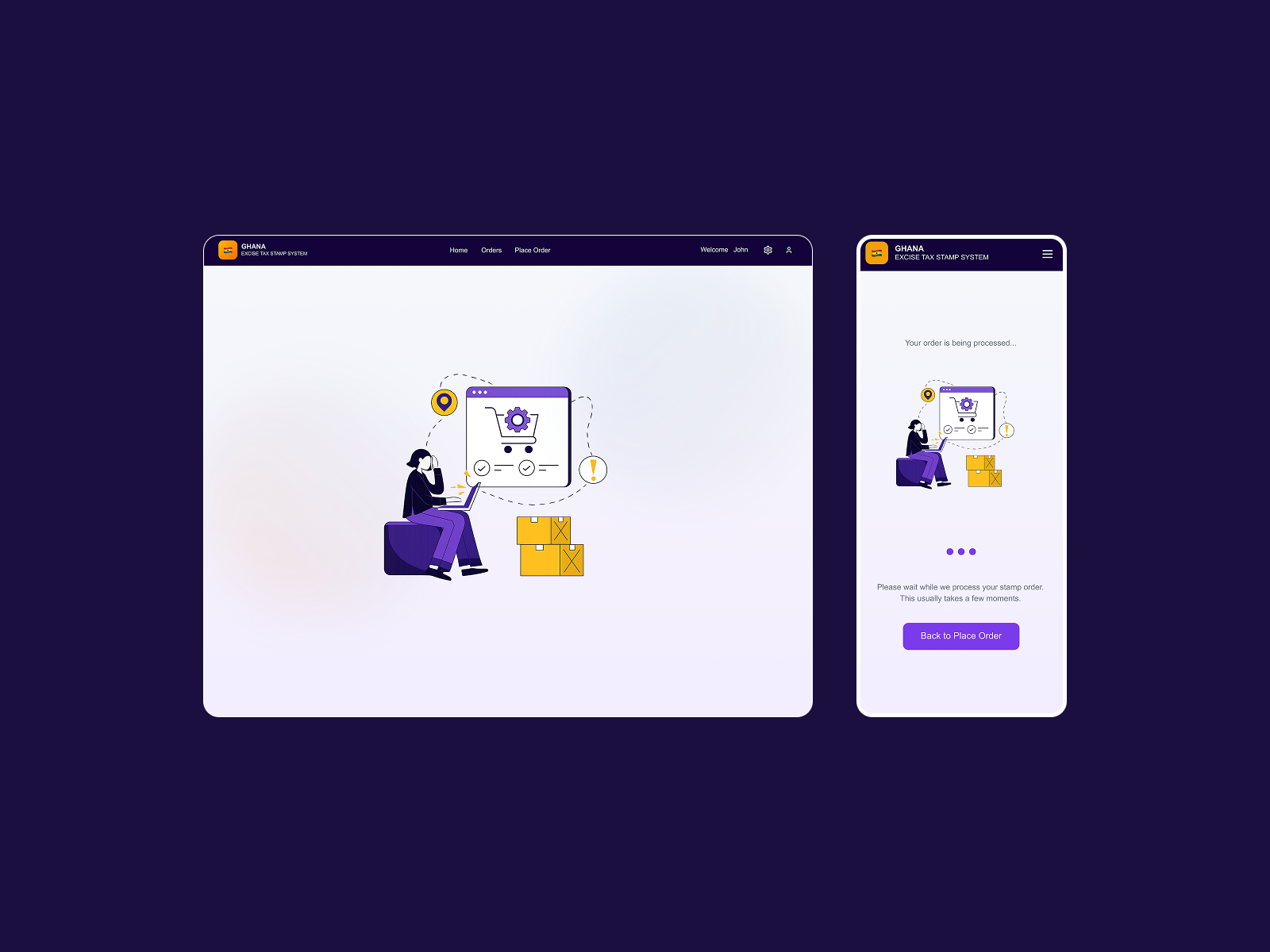
Web and mobile views of the order processing state with a custom illustration and clear messaging. After submitting a compliance-critical order, users needed reassurance that their submission had been received and was being processed. The Back to Place Order option on mobile lets operators continue working while waiting—designed for factory/warehouse contexts where idle time isn't an option.
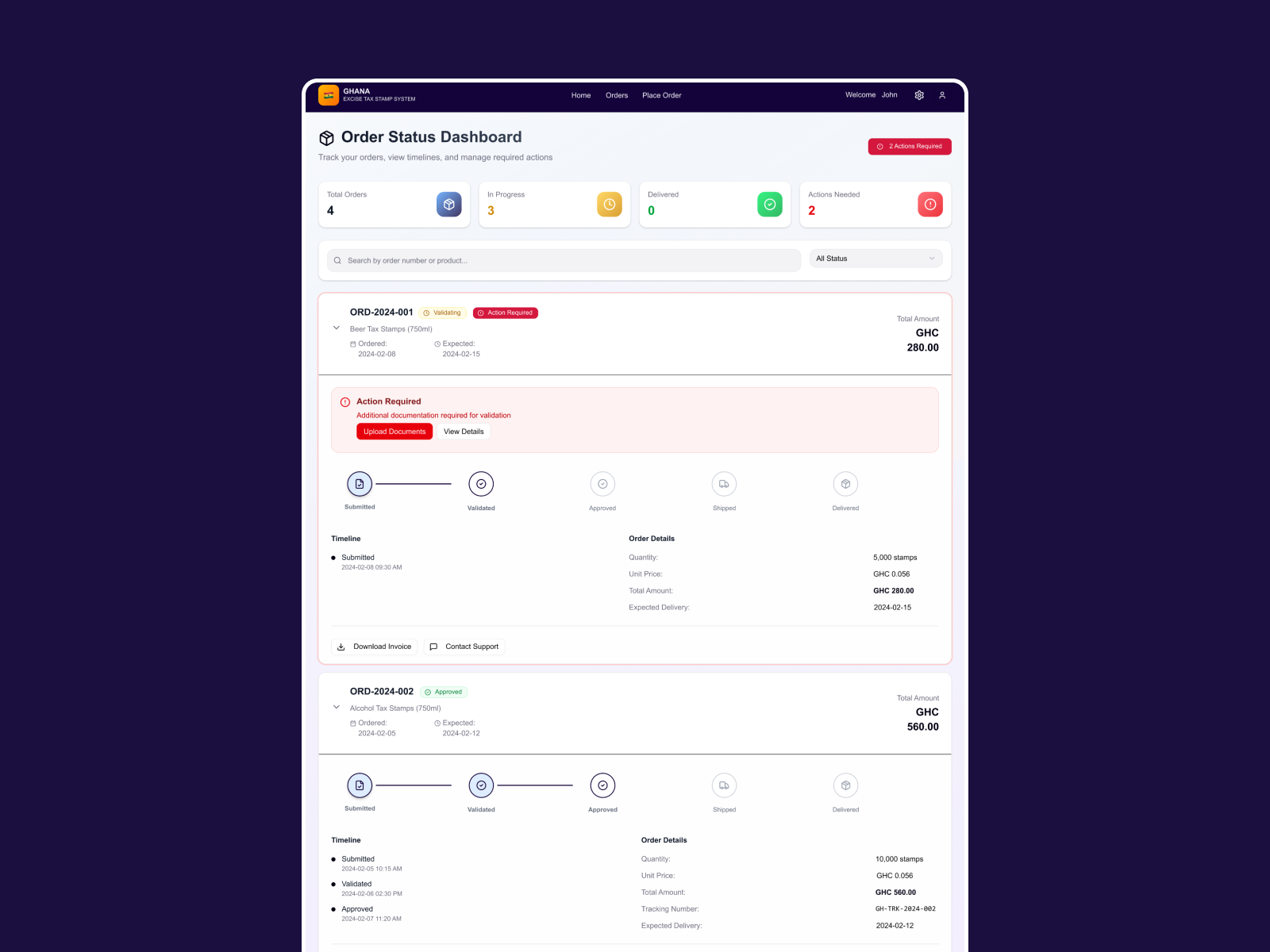
A comprehensive order tracking view with summary cards, status filters, and expandable order details showing a five-step progress stepper (Submitted, Validated, Approved, Shipped, and Delivered). Inline Action Required alerts with upload prompts surface compliance needs before they become blockers. Timeline and order details are co-located, so manufacturers can verify pricing, quantity, and expected delivery without leaving the page.
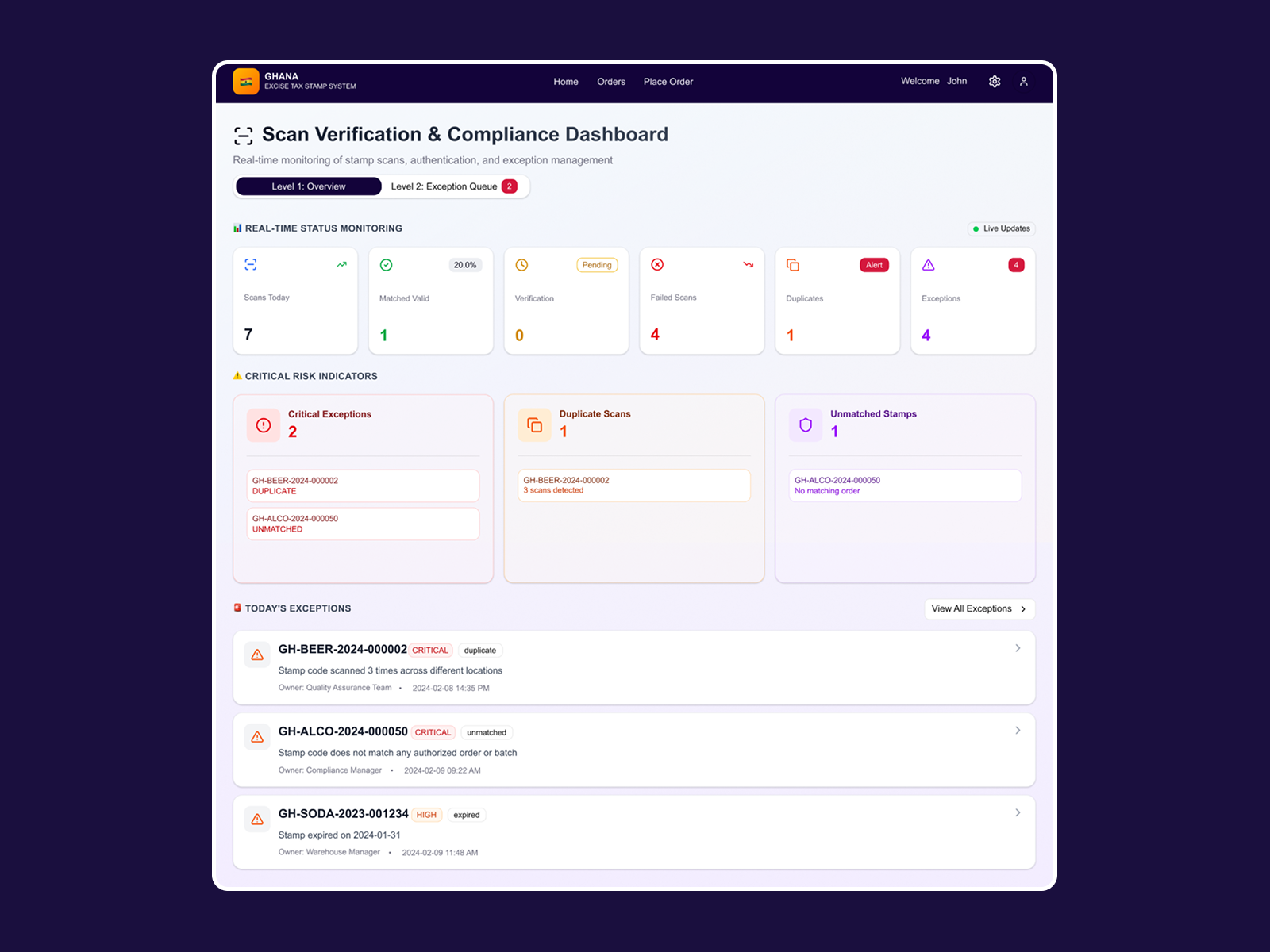
I built a real-time monitoring dashboard for stamp scans, authentication, and exception management. It shows today's scans, match rates, failed scans, duplicates, and exceptions, with live updates. Critical risk indicators surface duplicate scans, unmatched stamps, and exceptions, each with a direct link to the affected stamp code. It was designed for compliance managers who need to catch fraud and errors before they escalate into regulatory issues.

RESULT
We achieved a 28% increase in order success over the manual baseline, with measurable reductions in compliance errors and helpdesk load.
Read the full case study


