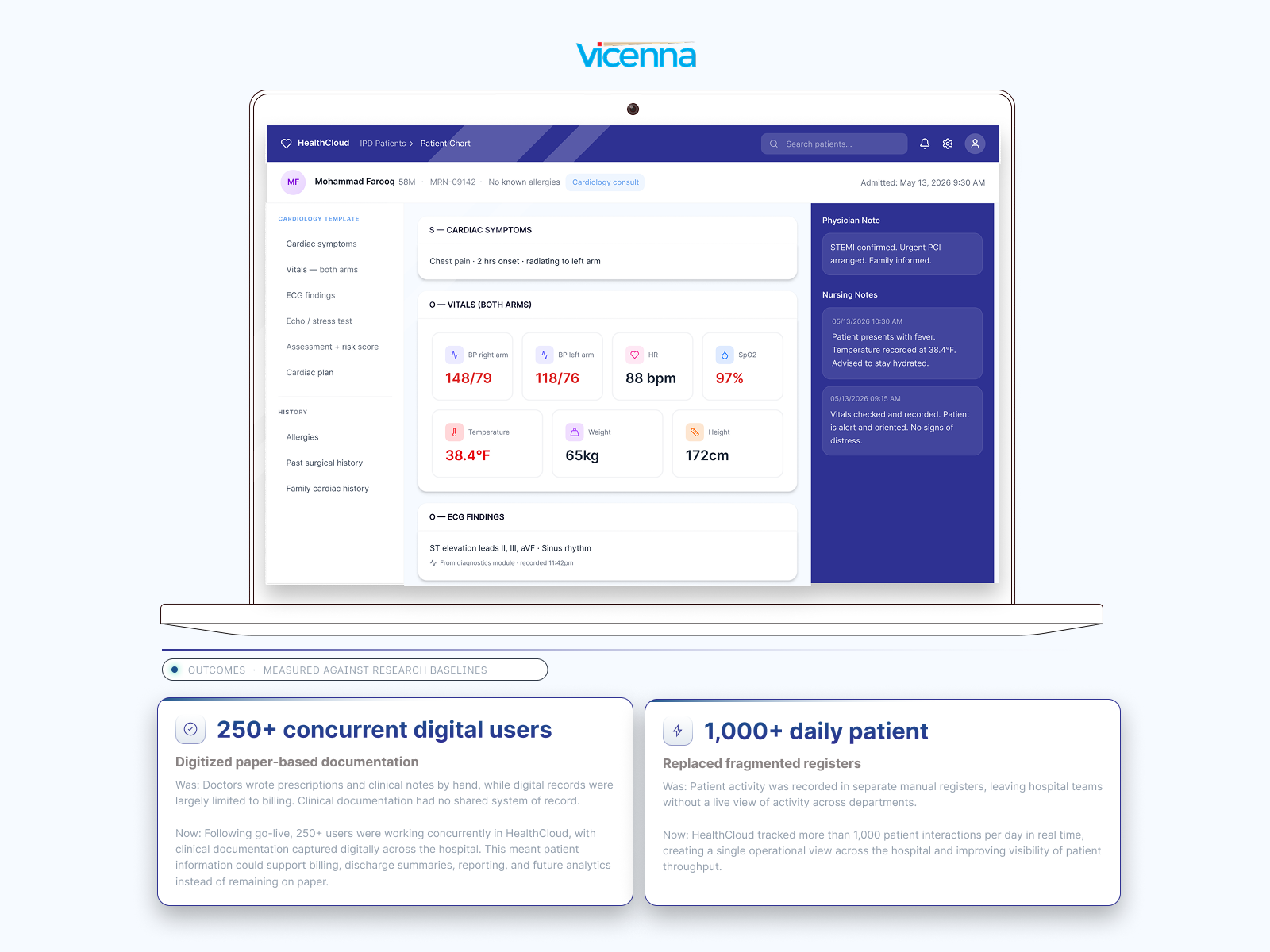
Vicenna HealthCloud is a modular hospital management system and EHR serving hospitals across South Asia and the Middle East.


MY ROLE
As a product consultant and designer, I owned requirement definition, workflow specification, and implementation validation against real clinical workflows.
MY PROCESS
My process started with clinical observation, watching staff work revealed that the system was context-blind, showing every feature to every deployment regardless of role or hospital.
DESIGN RATIONALE
I made two key design decisions: deployment-contextual UI so that each hospital’s booking screen shows only what it needs, and specialty-configurable SOAP templates. Hence, a cardiologist never sees a dentist’s fields.
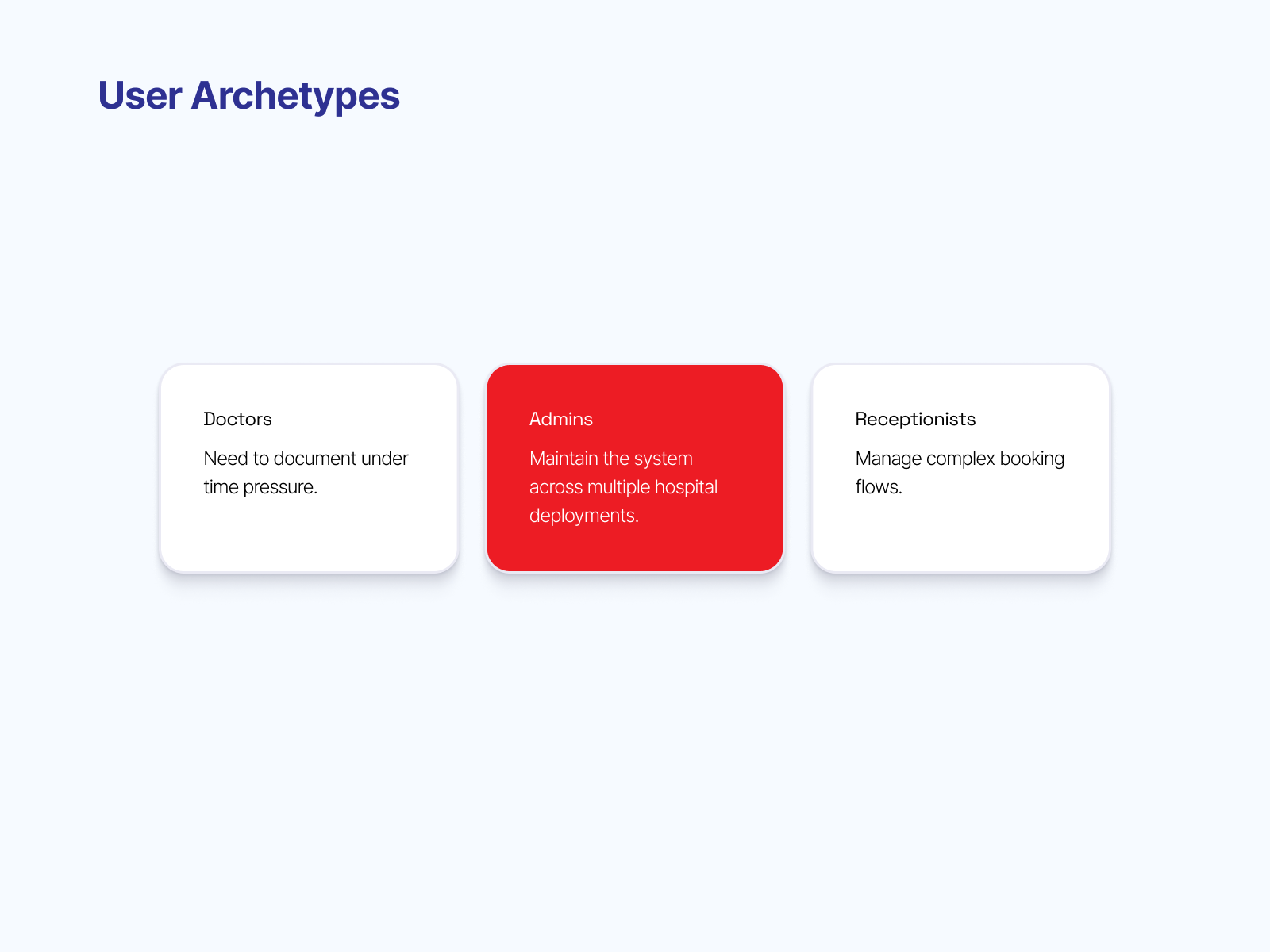
Three primary user archetypes were identified through clinical observation. Under time pressure, a generic template that doesn't match their specialty drives them to revert to pen and paper. Admins maintain the system across multiple hospital deployments; they need configuration control without clinical risk. Receptionists manage complex booking flows; they need clear step sequences and contextual visibility of features, not every option the platform offers. These distinct needs shaped both design decisions.
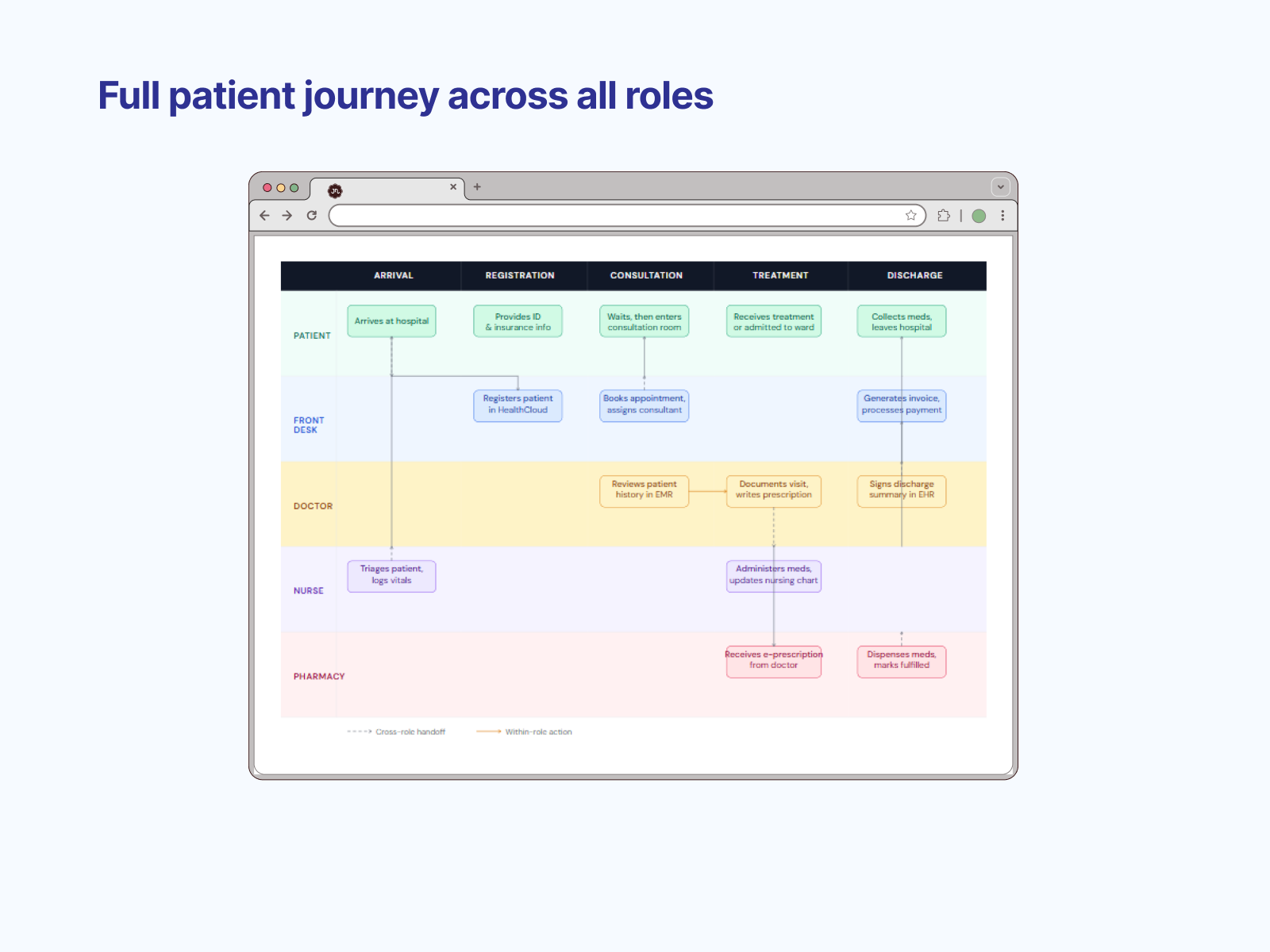
The complete hospital workflow is mapped across five roles: patient, front desk, doctor, nurse, and pharmacy—from arrival through registration, consultation, treatment, and discharge. Cross-role handoffs are marked with dashed lines; within-role actions with solid lines. This diagram was created not to document the workflow but to find every handoff where the system's lack of context awareness could cause a breakdown. Two handoffs stood out—the registration step and the consultation step—which became the two design decisions.
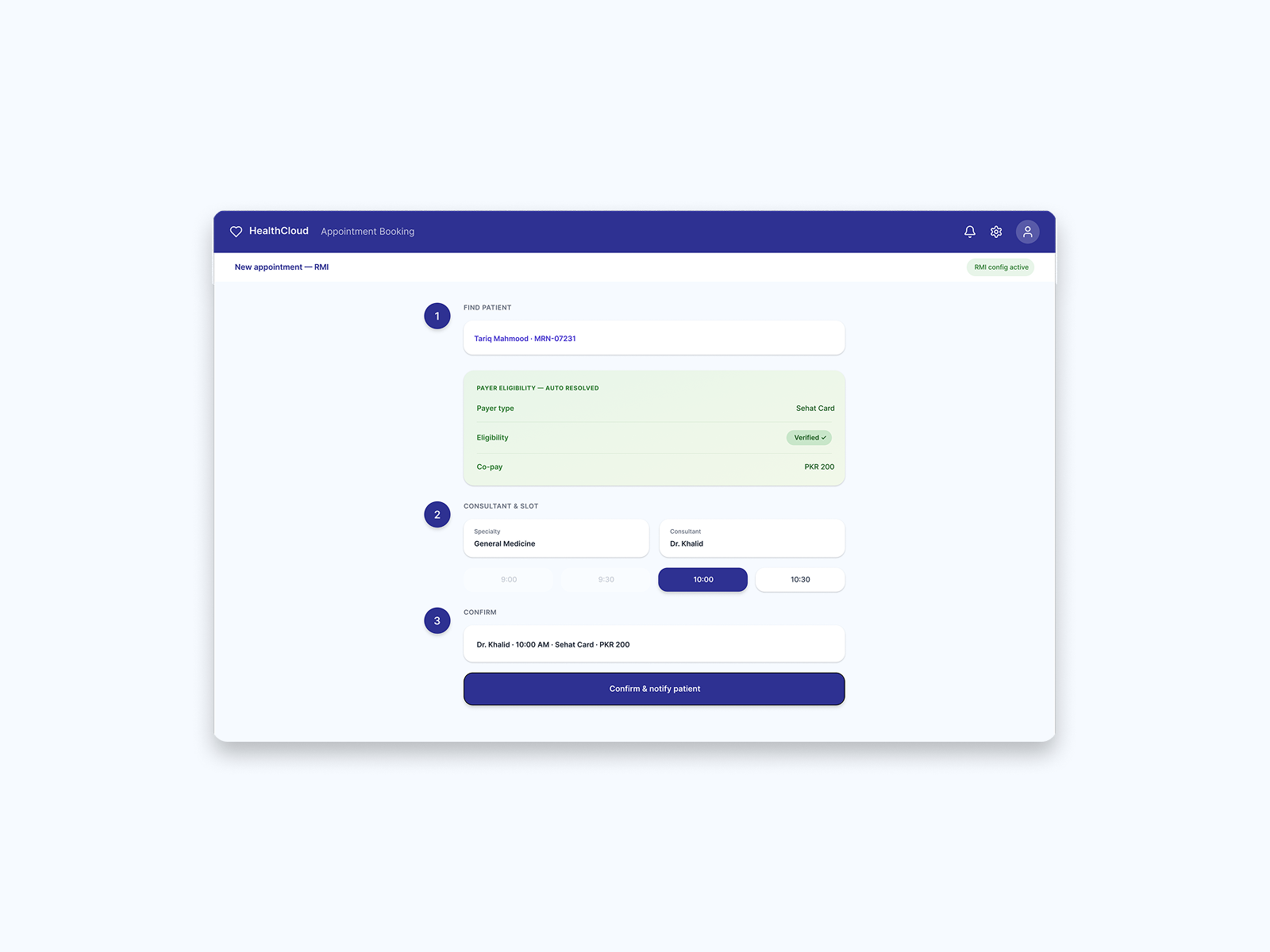
The redesigned booking flow for RMI shows three numbered steps: find patient, consultant and slot, and confirm. Payer eligibility auto-resolves as soon as the patient is found, showing Sehat Card, verified status, and co-pay amount without the receptionist needing to consult a printed list. The RMI config active label confirms this is a deployment-specific surface. A small clinic using the same product would see only steps one and two, without the payer panel. This is design decision one in action.
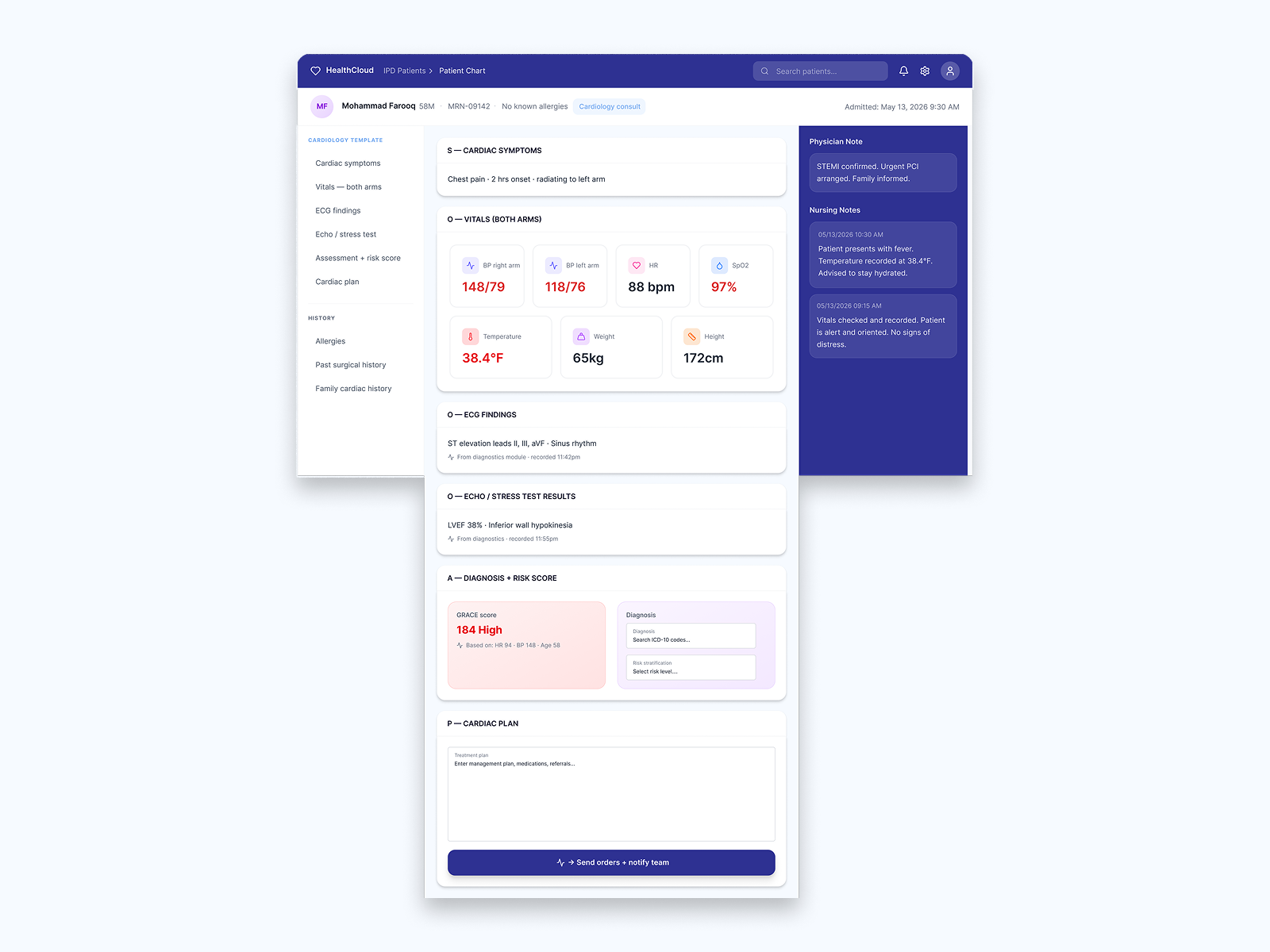
The full cardiology SOAP template showing all six sections in clinical order: cardiac symptoms (S), vitals with BP in both arms (O), ECG findings (O), echo/stress test results (O), diagnosis with inline GRACE risk score at 184 high (A), and cardiac plan (P). The GRACE score is automatically calculated from HR, BP, and age, eliminating a manual lookup step. The Send orders + notify team action at the bottom closes the documentation loop. Every section follows the order a cardiologist thinks in under pressure.
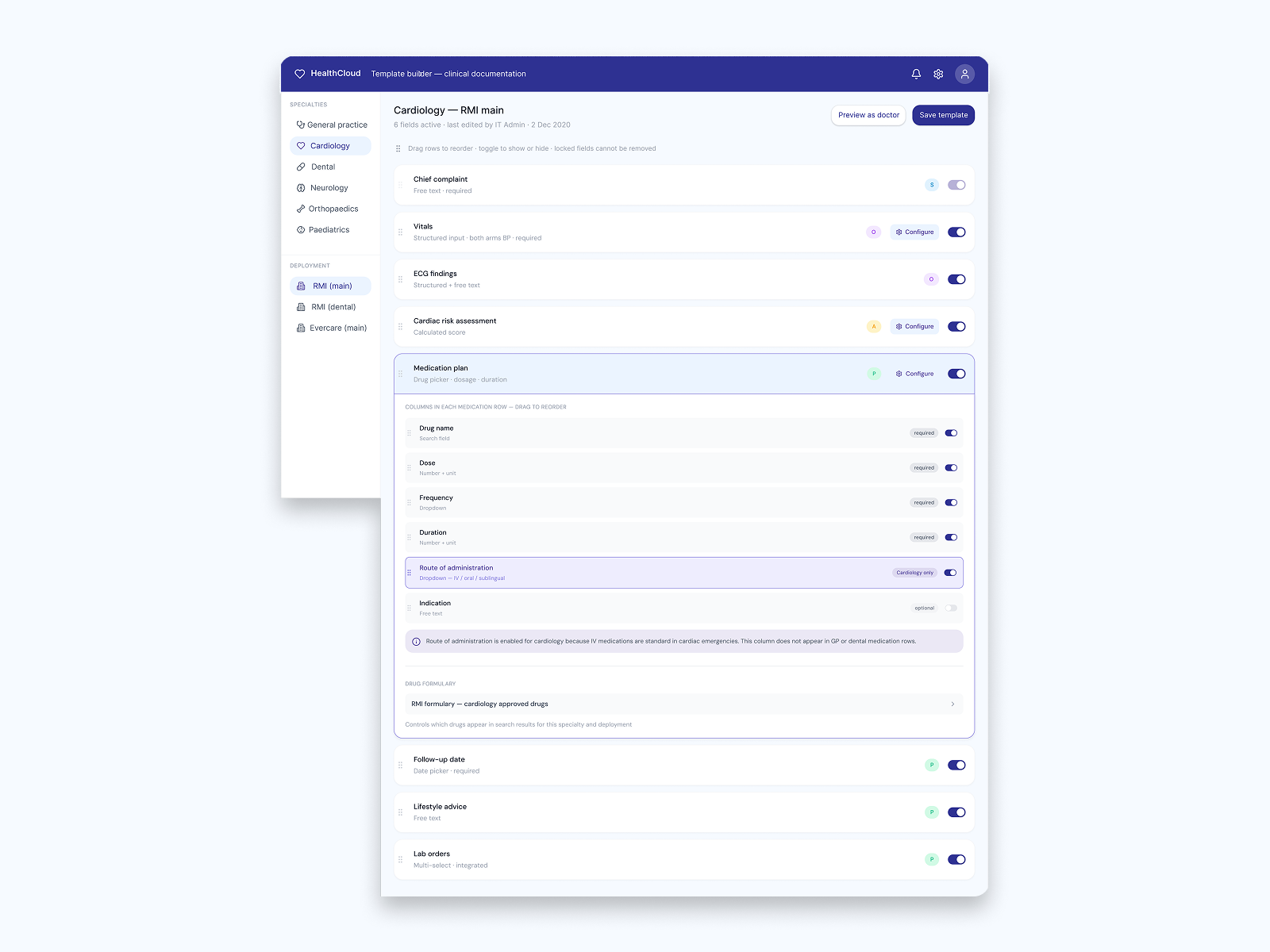
The admin-facing template builder shows how clinical documentation templates are configured per specialty and per deployment. The left sidebar lists specialties (general practice, cardiology, dental, neurology, orthopedics, and pediatrics) and deployments (RMI main, RMI dental, Evercare main). Fields can be toggled, reordered, and configured with Cardiology only tags on specialty-specific fields, such as route of administration. An explanatory note explains why that field exists for cardiology but not for GP or dentistry. This is the future plan that emerged from the two design decisions.
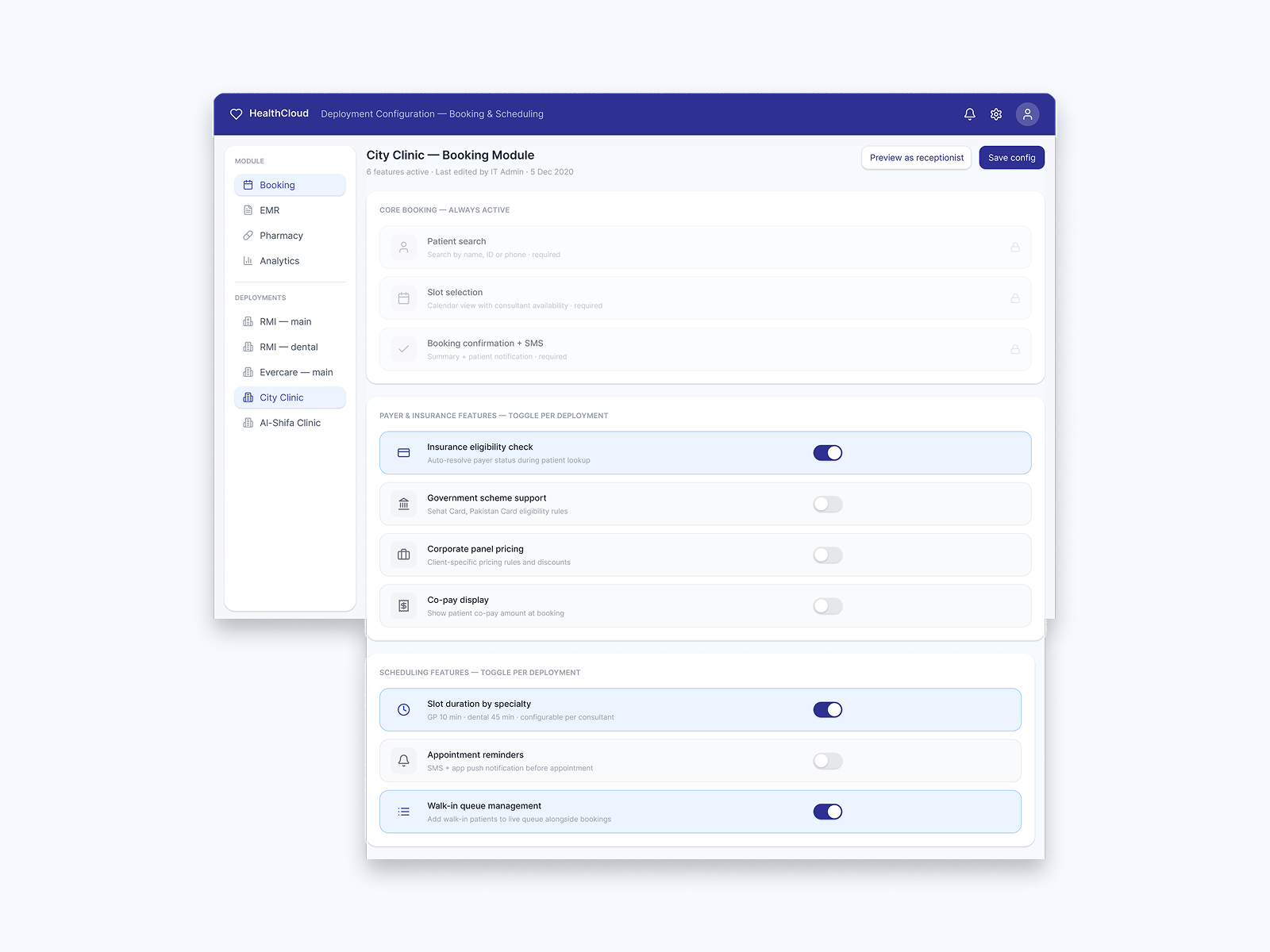
The admin configuration screen controls what each hospital deployment sees. Core booking features (patient search, slot selection, booking confirmation) are always active and locked. Payer and insurance features (eligibility check, government schemes, corporate pricing, co-pay display) are toggleable per deployment. Scheduling features (slot duration by specialty, reminders, and walk-in queue management) are partially configurable. City Clinic has only insurance eligibility and a walk-in queue enabled, while RMI would show the full payer panel. Same product, different configured surface.

RESULT
We landed 250+ concurrent users post go-live, 1,000+ daily patient interactions tracked digitally, and doctor adoption where previous systems had failed.
Read the full case study


