Team
1 PM, 1 BA, 4 Engg
Timeline
7 months
Year
2019-2020
Clients
RMI


01 impact
Lower cognitive load in routine operations
fragmented
→
1,000+ per day
Was: Manual registers. No system of record. No live operational data.
Now: Daily 1000+ patient interactions tracked in real time
02 target users
doctors
Who needed to document under time pressure
receptionists
Managing complex booking flows
admins
Maintaining the system across multiple hospital deployments
03 my role
I was embedded with the engineering team, owned the requirement definition and workflow specification for two specific features, and validated the implementation against real clinical workflows.
Clinical Observation
I participated in walkthroughs with hospital staff
Research Findings
I watched a receptionist turn away from the screen mid-booking to check a printed list on the wall. That one moment told me something bigger was happening — this wasn't a booking problem, it was a system problem.
04 Problem Statement
HealthCloud was context-blind for doctors and receptionists. For Vicenna it meant every new hospital deployment required custom engineering work. My work focused on making the product aware of its context — who was using it, in what role, and in which deployment.
05 objective
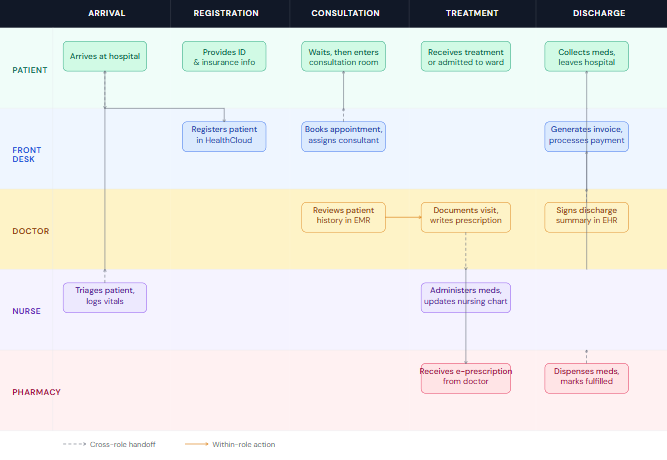
Gap 1 — Registration step
Front desk booking screen shows every feature to every deployment. Receptionist can't tell what's relevant. Workarounds fill the gap.
Fixed by Decision 1
Gap 2 — Consultation step
EMR documentation template is generic across all specialties. Every doctor sees the same layout. Friction drives reversion to pen and paper.
Fixed by Decision 2
06 design decisions
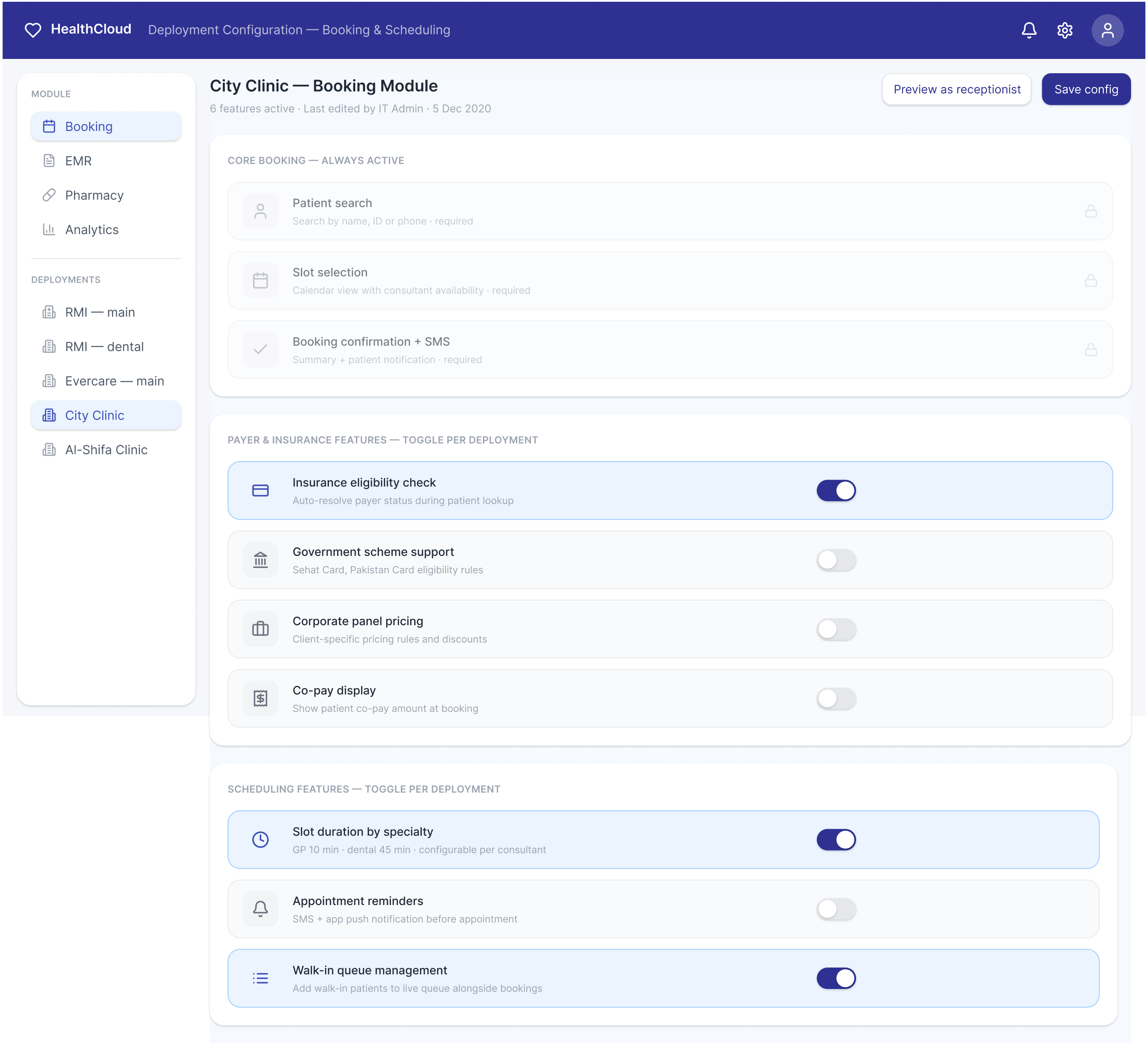
- Deployment-contextual UI — defining what each hospital's screen should show
Scenario
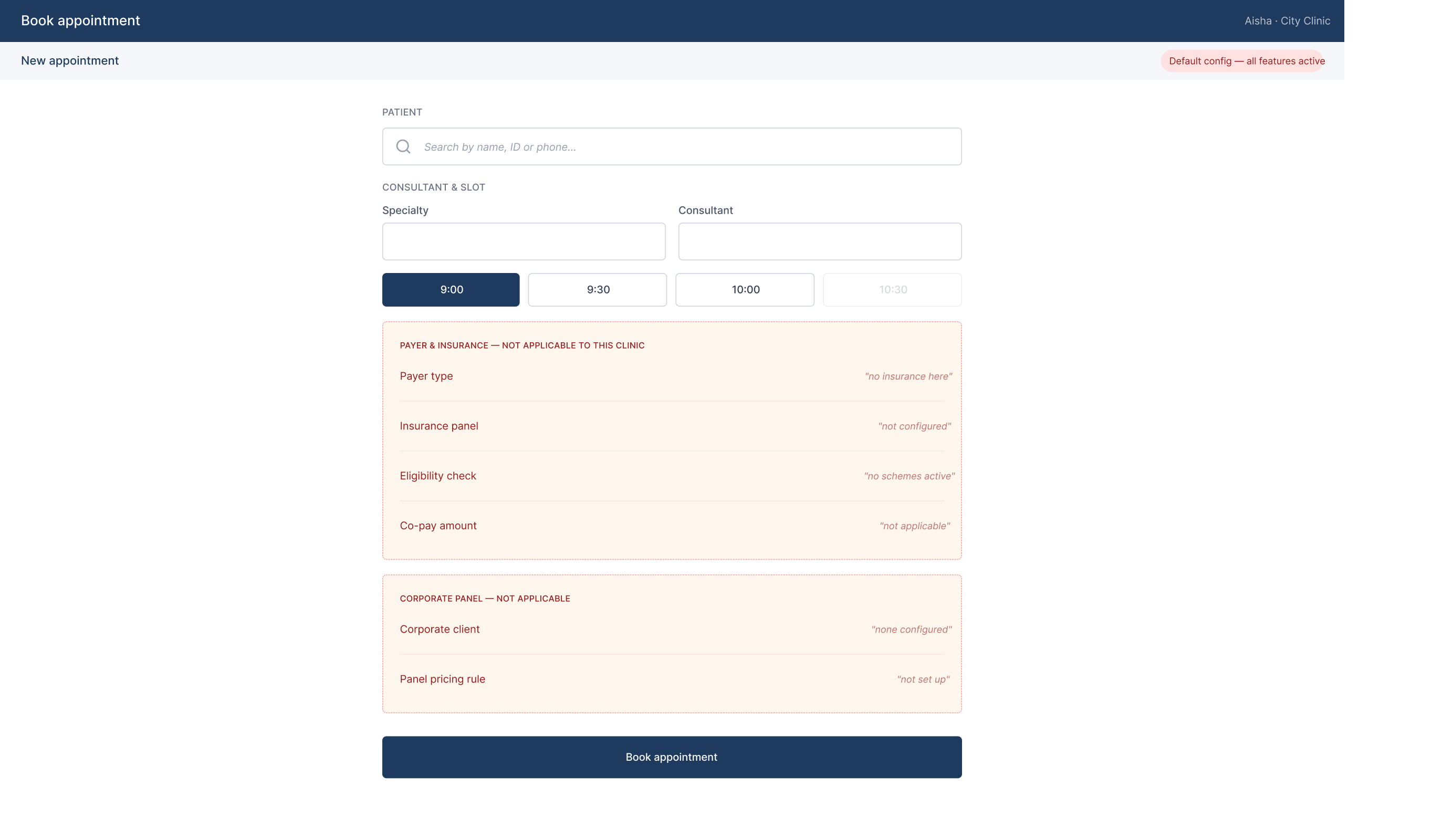
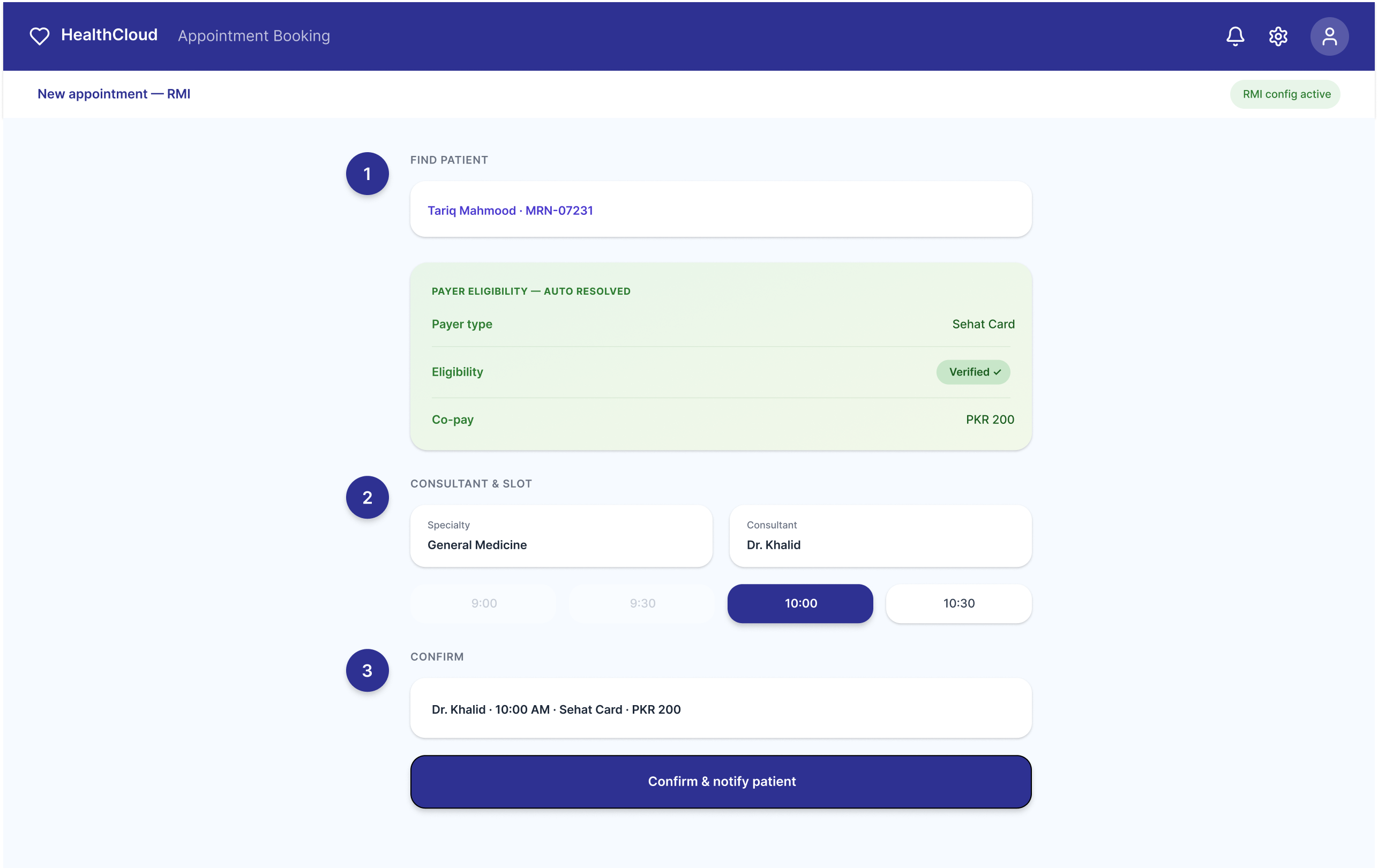
Aisha is a receptionist at a small private clinic using HealthCloud. She opens the booking screen to schedule a patient appointment. She has no insurance panel to manage, no corporate pricing rules, no government scheme eligibility to check.
Problem identified
The booking screen showed every feature to every deployment, regardless of context.
Decision I advocated for
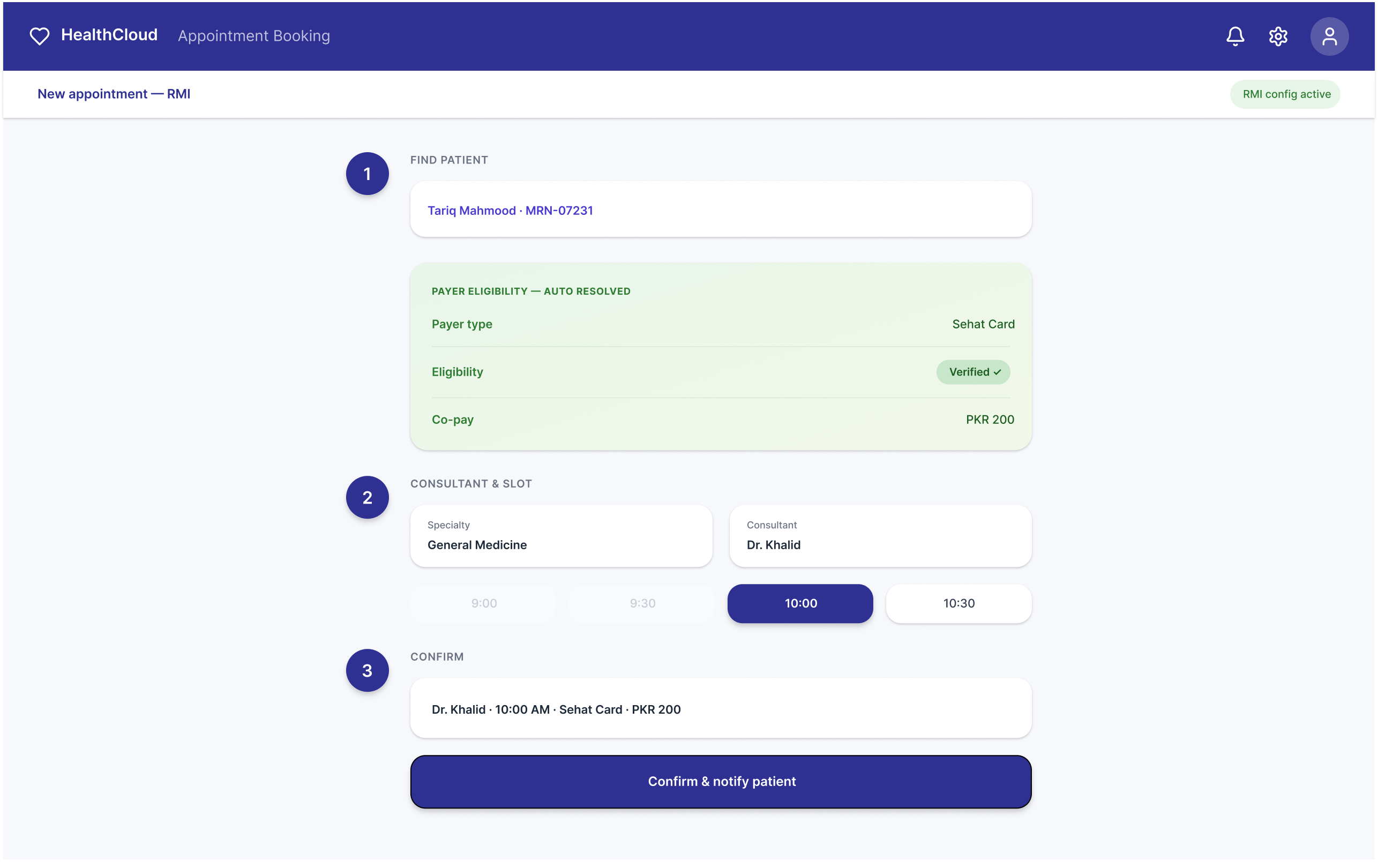
I defined what each deployment's booking screen should show based on what that hospital actually needed.
Outcome observed
The same scheduling module was deployed across RMI and multiple smaller clinic clients without interface re-engineering. RMI was additionally able to onboard Sehat Card and Pakistan Card government insurance payers — enabling access to previously inaccessible patient populations — without requiring receptionists to receive additional training.Defining these context-specific screens created a new engineering question: how does the system know which surface to show per deployment? That's when the configuration layer was scoped — not as my original decision, but as a direct consequence of defining the output screens.
- Specialty-configurable SOAP templates — reducing documentation friction per role
Scenario
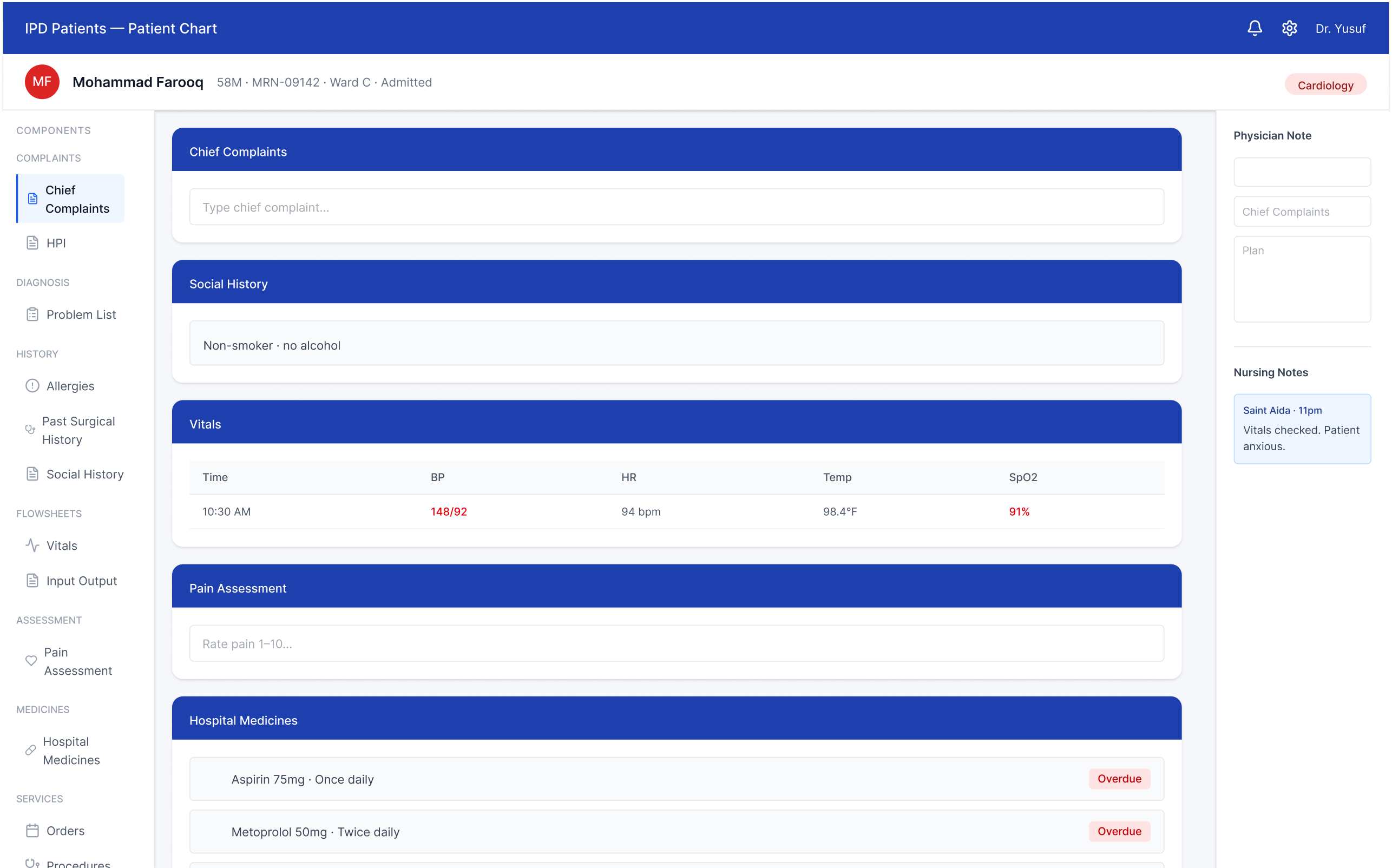
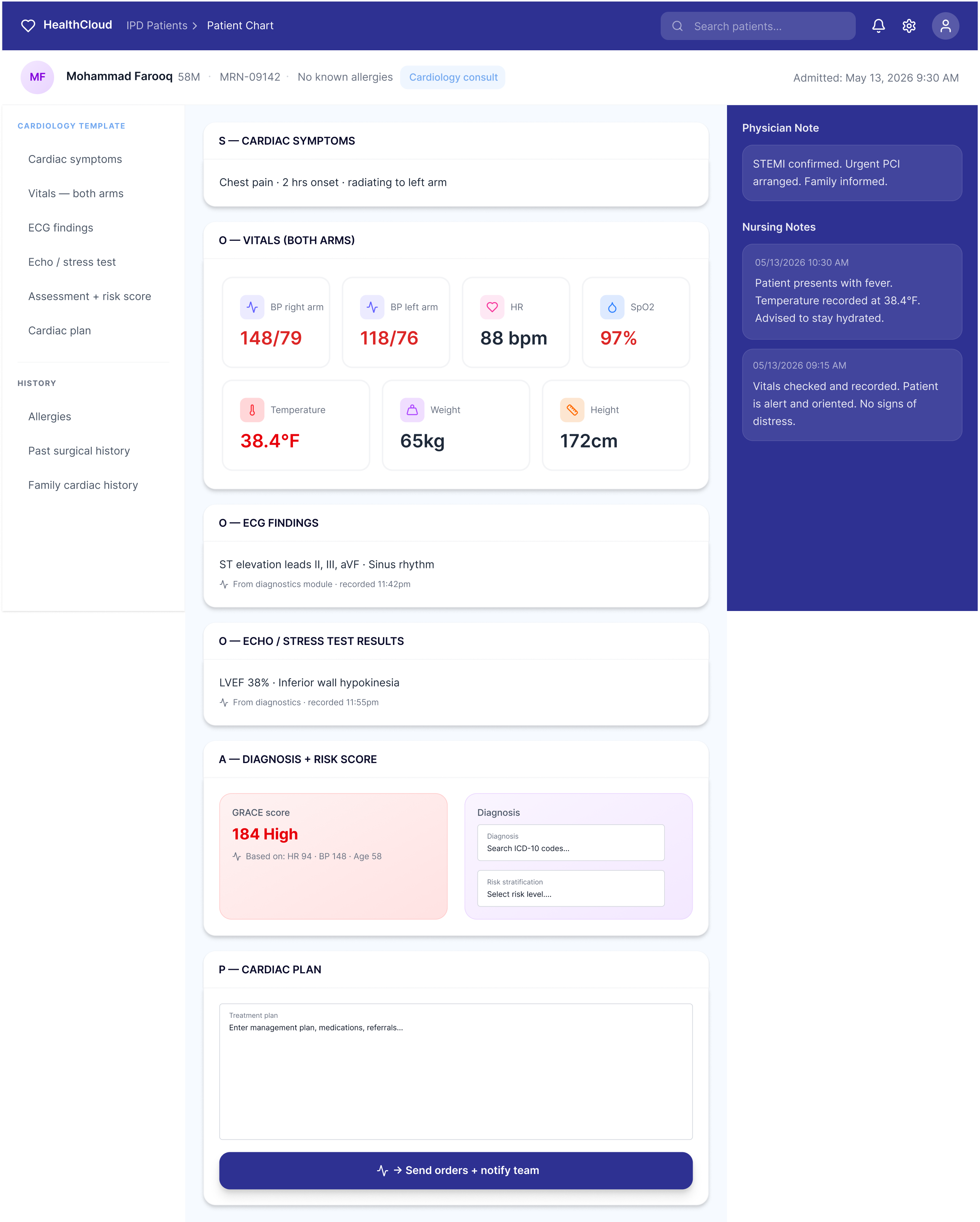
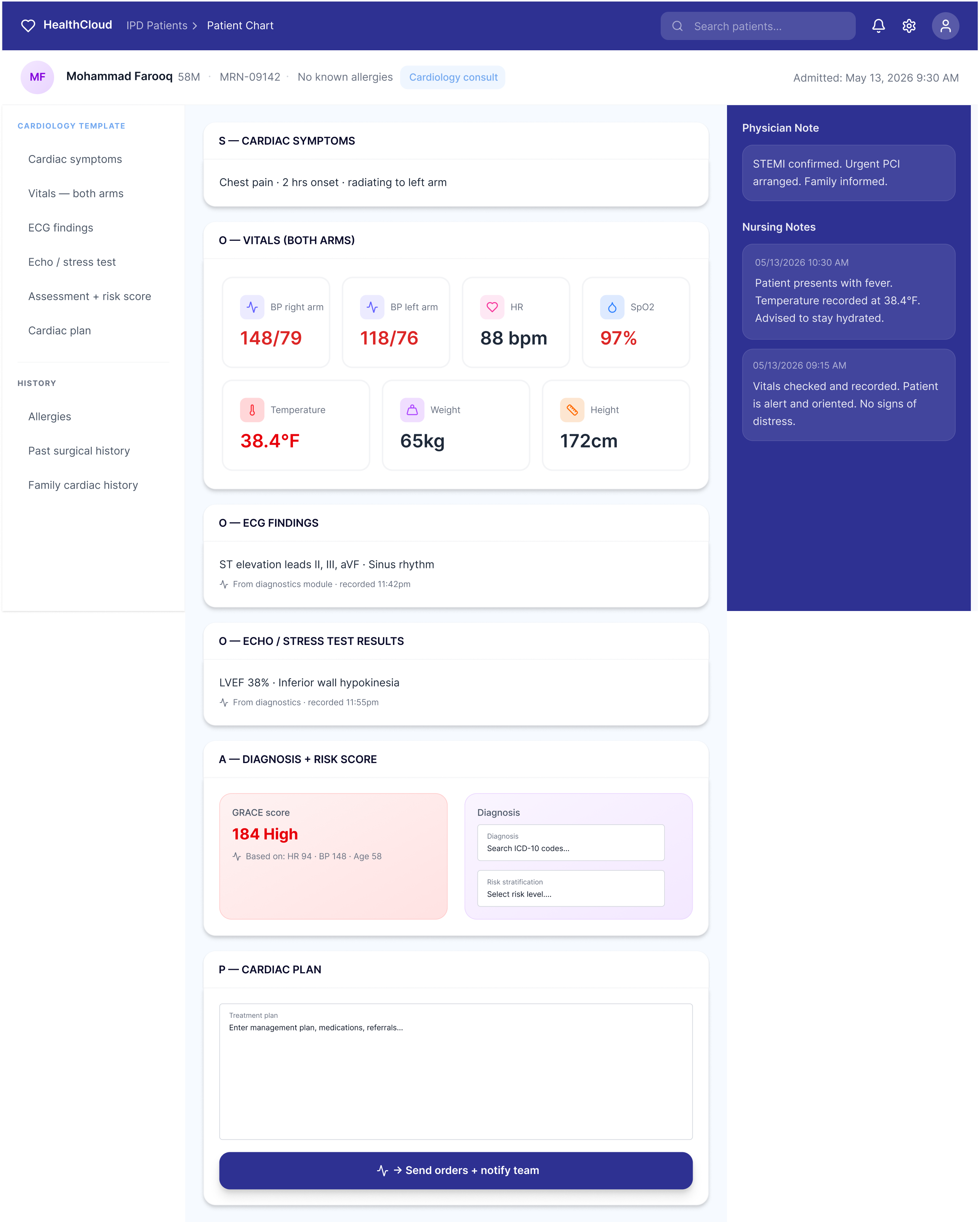
Dr. Yusuf is a cardiologist at RMI. He opens a patient chart to document a consultation for a 58-year-old admitted with chest pain. He needs to review ECG findings, record vitals including BP in both arms, note the echo results, and write a plan.
Problem identified
The template assumed one type of doctor. RMI had many.
Decision I advocated for
The SOAP structure stays consistent. The fields inside adapt. A cardiologist never sees a tooth chart. A dentist never sees an ECG field.
Outcome observed
Doctor adoption was also a direct data quality decision — a cardiologist on pen and paper generates no structured data for billing, analytics, or discharge summaries. Getting doctors onto the system protected the value of every other module in the platform.
07 Future plan
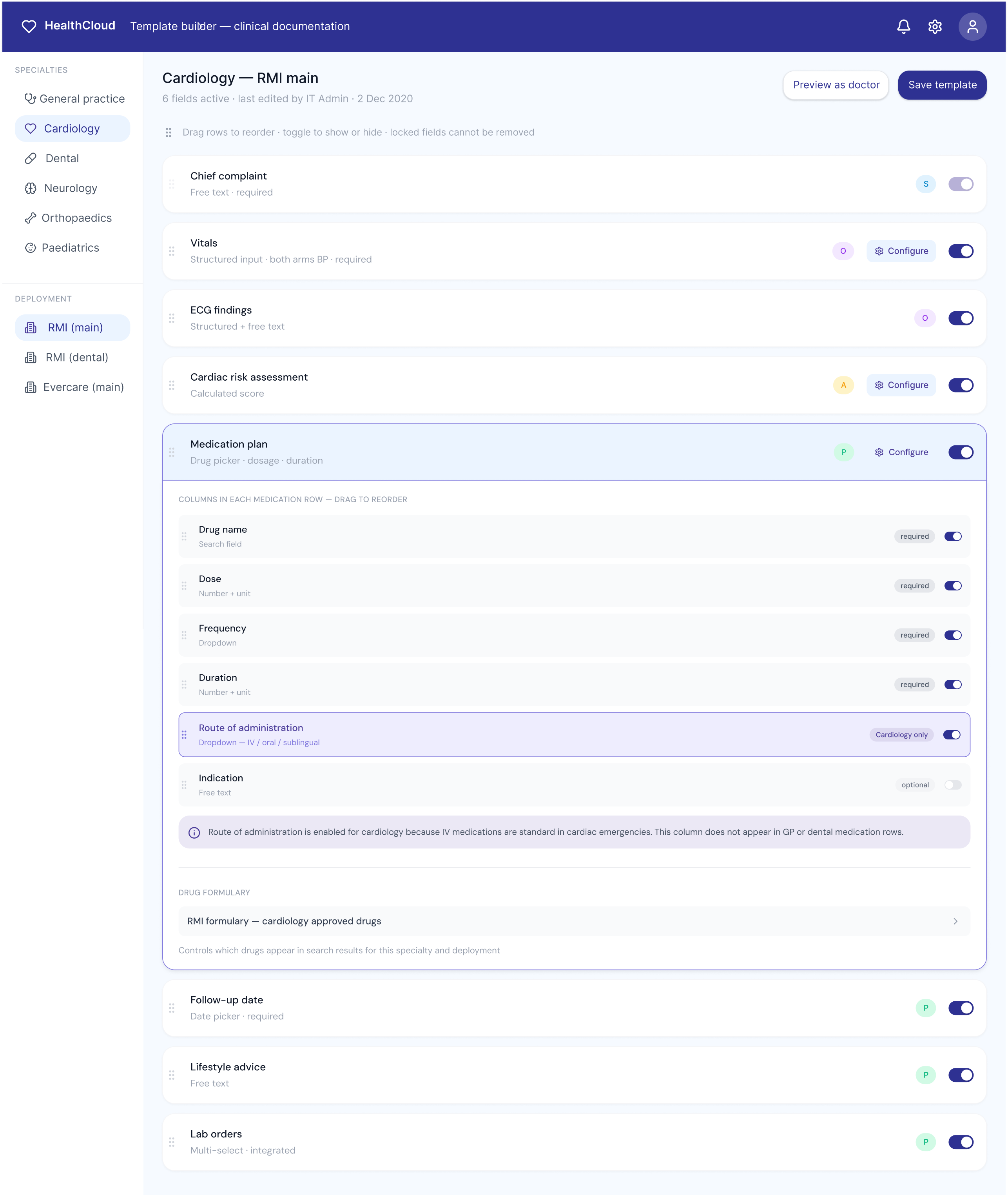
Template builder — clinical documentation
Scenario
A cardiology department head can edit field labels and toggle optional fields — but cannot add new field types, change required fields, or modify templates for other specialties. This prevents clinical errors while giving specialists ownership of their own template.
Admin can
Add or remove any field type
Edit templates across all specialties
Set fields as required or optional
Configure per deployment (RMI vs Evercare)
Lock system-wide fields
Department head can
Rename field labels for their specialty
Toggle optional fields on/off
Reorder fields within their template
Cannot add new field types
Cannot edit other specialty templates
08 reflection
"Clinical software fails not because the features are wrong, but because the workflows assume a world where clinicians have time to think."
- I'd design the configuration interface first, not last. We built the doctor-facing screens before we properly defined how admins would set them up
- Scale experience across deployments for Avelios